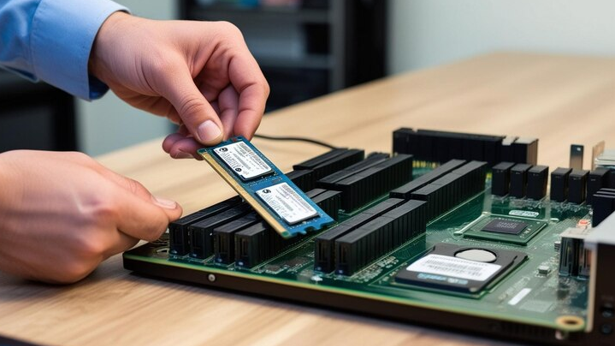
IT upgrades are often planned around processors, storage, networking, and software, but memory deserves the same attention. Adding or replacing RAM can improve how a computer or server handles applications, multitasking, and larger workloads. Computer Memory Solutions can help businesses match memory capacity and specifications with the systems they already use. Ram Exchange provides memory options for different computing needs, making it easier for IT teams to find compatible hardware without changing an entire system. A well-planned memory upgrade can extend the useful life of existing equipment while supporting smoother day-to-day performance.
Why Memory Matters During An IT Upgrade
RAM gives a computer temporary space to hold data that applications need while they are running. When a system does not have enough memory, it may rely more heavily on slower storage. This can affect application response times, multitasking, and overall system performance. Memory upgrades can be useful when existing hardware is still suitable for business needs but struggles with newer software or heavier workloads. Instead of replacing a complete system, an IT team may be able to increase RAM capacity and keep the existing processor, storage, and other components in place.
Common signs that a system may need more memory include:
- Slow performance when several applications are open
- Delays when handling large files
- Reduced performance with virtual machines
- Frequent system slowdowns during busy periods
- Difficulty running newer applications
- Limited capacity for growing workloads
Memory should be assessed as part of the wider hardware plan rather than treated as an isolated component.
Supporting More Demanding Applications
Business software has become more demanding as applications handle larger datasets and more complex tasks. Design software, databases, development tools, analytics platforms, and virtual machines can all require substantial memory. Adding RAM can give these applications more working space. This is particularly useful for employees who regularly switch between several programs. A workstation with enough memory can keep more active data available instead of repeatedly moving information between RAM and storage.
For example, a developer may work with an integrated development environment, browser tabs, testing tools, and virtual machines at the same time. Additional memory can make this type of workload easier for the system to manage. Ram Exchange offers computer memory products that can be considered when existing systems need additional capacity or replacement modules.
Extending The Useful Life Of Existing Hardware
Replacing computers and servers can require a significant budget. It may also involve data migration, software setup, employee training, and equipment disposal. A memory upgrade can sometimes provide a simpler alternative when the existing hardware is otherwise in good condition. Increasing RAM does not make an old system suitable for every workload, but it can address one specific limitation without requiring a complete replacement.
IT teams can review:
- Current RAM capacity
- Maximum supported memory
- Available memory slots
- Memory type and generation
- Module speed
- System and motherboard compatibility
- Operating system limitations
These details help prevent purchases that cannot be used with the existing equipment.
Getting Compatibility Right
Memory is not a universal component. A module that fits physically may still be unsuitable for a particular computer or server. Compatibility depends on several specifications. These can include DDR generation, capacity, speed, form factor, error correction features, and the requirements of the system motherboard. For servers, ECC memory may be required to help detect and correct certain types of data errors. Workstations and desktop computers can have different memory requirements based on their hardware configuration.
Before ordering replacement or additional RAM, IT teams should check the system documentation and existing module specifications. This reduces the risk of installing incompatible hardware. A careful check can also help determine if memory should be installed in matched sets or specific slot configurations. Manufacturer documentation is a useful starting point for confirming these requirements.
Memory Upgrades For Servers
Servers often handle several workloads at the same time. A single machine may support databases, applications, file services, virtual machines, or internal business systems. Insufficient RAM can restrict the number of workloads a server can handle efficiently. Adding suitable memory can give the server more capacity for active processes and virtualized environments.
Server upgrades need more planning than a typical desktop upgrade. IT teams should consider:
- Server model and generation
- Supported RAM capacity
- ECC requirements
- Registered or unbuffered memory
- Number of available slots
- Existing module configuration
- Workload requirements
- Future capacity needs
Ram Exchange can be considered as part of the sourcing process when organizations need compatible memory for server and computing environments.
Managing IT Upgrade Costs
Budget control is another reason to review memory before replacing complete systems. An organization may have hundreds of computers or several servers, making a full hardware replacement expensive. A targeted memory upgrade can allow IT departments to allocate funds where they are most needed. Systems that are still reliable but limited by RAM capacity may receive upgrades, while older hardware with multiple issues can be scheduled for replacement.
This approach can also support phased upgrade plans. Instead of replacing every machine at once, businesses can prioritize systems based on workload, age, performance, and business requirements. The right choice depends on the condition of the existing equipment. Memory should not be used as a replacement for hardware that has reached the end of its useful service life.
Planning Memory Around Future Workloads
An upgrade should address current requirements without ignoring expected changes. Software updates, larger datasets, additional users, and virtualization can increase memory demand over time. IT teams can review expected workloads before selecting capacity. For example, a workstation used mainly for office applications may have different requirements from a machine used for engineering software or data analysis.
It can also help to leave room for future expansion where the hardware allows it. Buying a system with unused memory slots may provide more flexibility than filling every slot immediately. The goal is to select memory based on actual system requirements rather than simply choosing the largest available capacity.
Making Memory Part Of The Upgrade Plan
RAM should be included during the early stages of an IT hardware review. Checking memory alongside processors, storage, networking, and operating systems gives IT teams a clearer view of what needs to change.
A basic assessment can include:
- Check current memory capacity.
- Identify the installed memory type.
- Review the system’s maximum supported capacity.
- Check available slots.
- Compare current workloads with expected requirements.
- Confirm compatibility before purchasing.
- Test the upgraded system after installation.
This process helps reduce unnecessary purchases and makes hardware planning more structured. Computer Memory Solutions can support IT upgrades by addressing memory limitations without automatically requiring complete hardware replacement. For businesses reviewing their equipment, computer memory products can be one part of a practical upgrade plan based on compatibility, workload, capacity, and budget.
A Practical Step Before Replacing Equipment
Not every slow computer or server needs more RAM, but memory is worth checking before a replacement decision is made. Performance issues can also come from storage, processors, software, network conditions, or other hardware components. A proper assessment helps identify the actual limitation. Where memory is the issue, a compatible upgrade may provide additional capacity while allowing the organization to continue using suitable existing equipment. Ram Exchange can be part of that sourcing process for businesses reviewing their memory requirements and planning hardware upgrades.
Before Replacing Your Existing Hardware
IT upgrades work best when each hardware component is considered according to the workload it needs to support. Memory can affect multitasking, application performance, virtualization, and the usable life of existing systems. Reviewing capacity and compatibility before purchasing can help businesses avoid unnecessary replacements and make better use of their current hardware.Planning a RAM upgrade or replacing existing modules? Contact us today for practical memory options that fit your IT hardware needs.